Custom Volume Slider for YouTube

YouTube's volume slider is linear, but your ears aren't. Replace it with a slider you can shape and style yourself.
Version 1.0.1 · Free and open source · No data collection

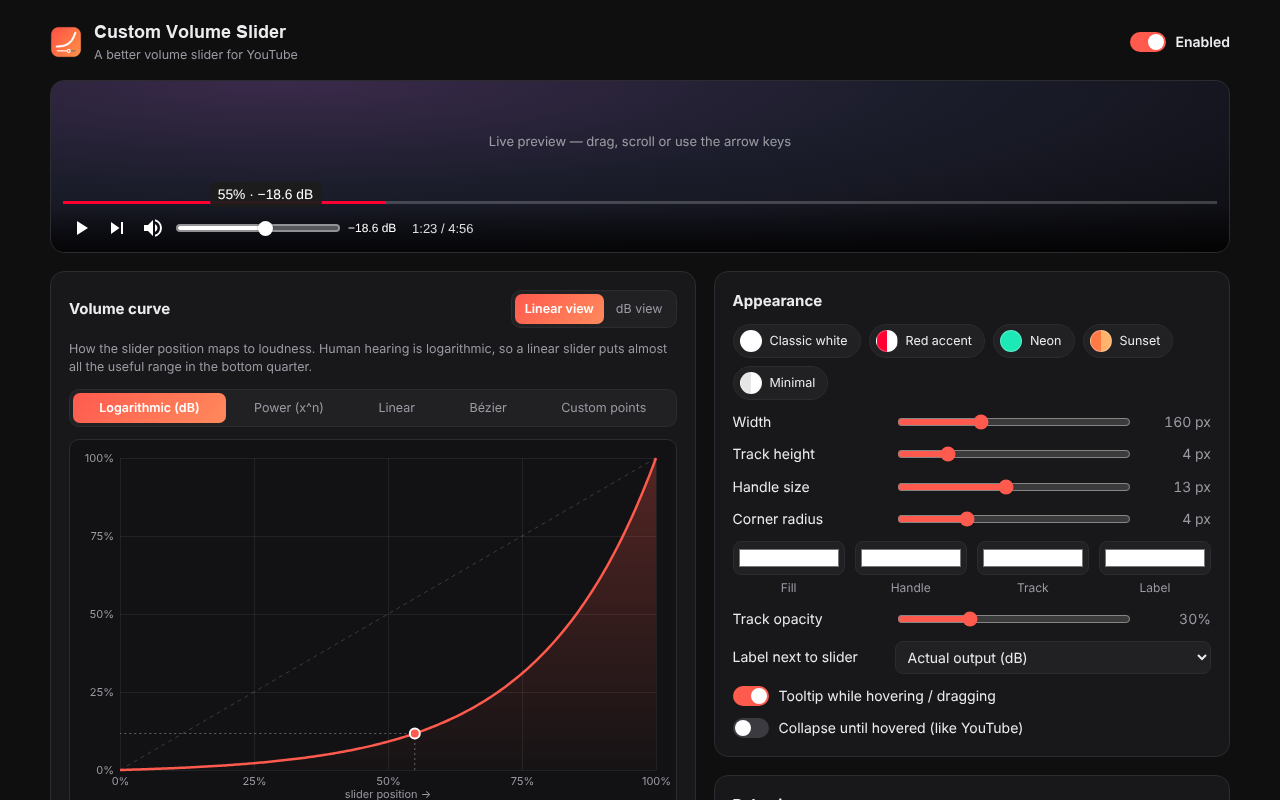
Settings page with a logarithmic volume curve and a live slider preview

Why a different slider?

Hearing is logarithmic. On YouTube's linear slider, 10% is already loud and most of the useful range is squeezed into the bottom quarter, so fine control near silence is impossible. A volume curve spreads that range across the whole slider.
Volume curves

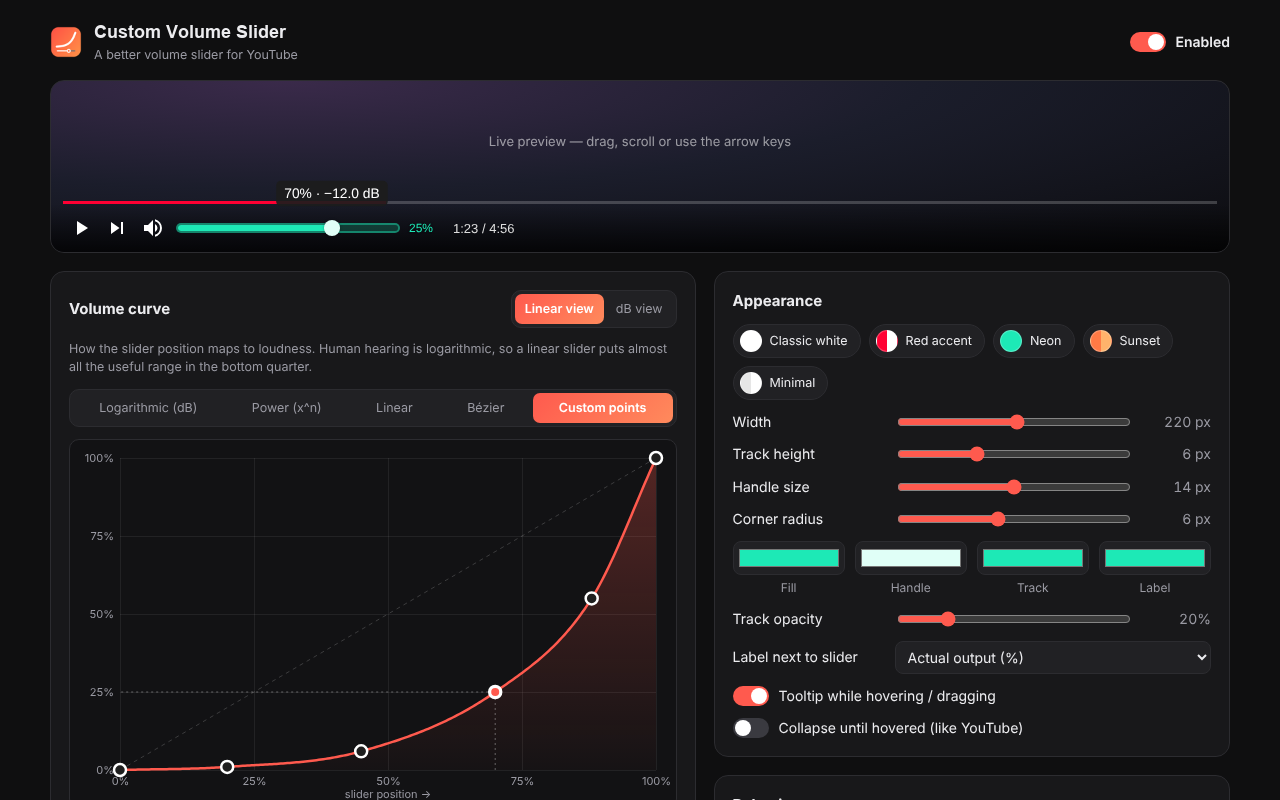
  • Logarithmic (dB): equal decibel steps, adjustable range
  • Power: output = positionⁿ
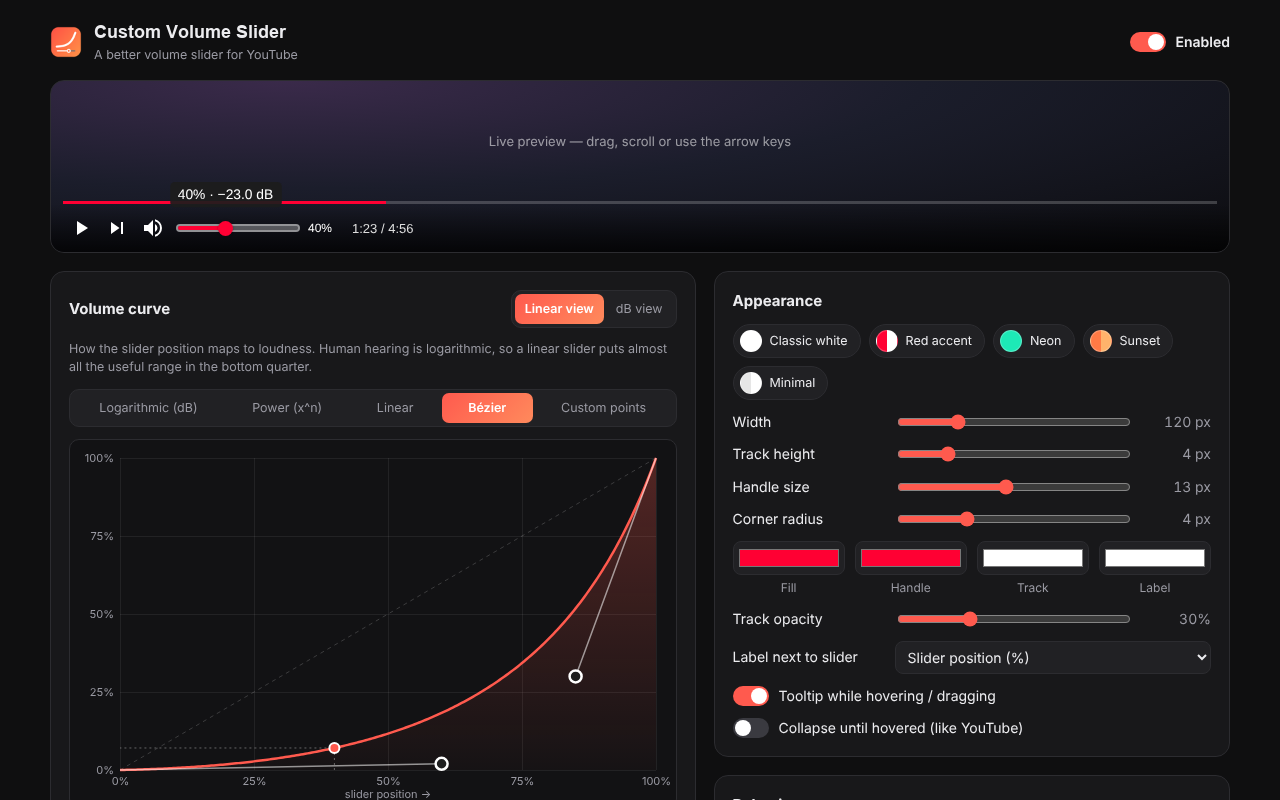
  • Bézier: drag two handles
  • Custom points: draw your own, with a dB view
  • Linear: the classic behavior
  • Optional maximum-output cap

Appearance

  • Width from 30 to 400 px
  • Track height, handle size, corner radius
  • Fill, handle, track and label colors
  • Label showing position %, output % or dB
  • Hover tooltip and collapse-until-hovered
  • Five presets

Smooth audio

  • Full precision, not YouTube's 1% steps
  • Ramped changes, no clicks while dragging
  • Keeps YouTube's loudness normalization
  • No volume jumps between videos or ads

Controls

  • Drag, click, mouse wheel or trackpad
  • ↑ / ↓ in the player, with an on-screen readout
  • Mute button and the M key work as usual
  • Works in embedded players too

Private by design

No analytics, no tracking, no network requests. Your settings stay in your own Chrome profile. Read the privacy policy.